


AI Photo Editor Pic BG Eraser
4.33.83K Reviews
App Specs
- Version
- 4.7.5.0
- Updated On
- License
- Free
- Downloads
- 10,000,000+
- Developer
- VIDEOSHOW Video Editor & Maker & AI Chat Generator
- Categories
- Photography
- Platform
- Android
Screenshots



 Analysis by AppCompare
Alright, folks, let’s dive into the world of photo editing with AI Photo Editor Pic BG Eraser, an app that promises to turn your average snapshots into professional-grade pics. Whether you're a selfie enthusiast or a budding photographer, this app might just have what you need to elevate your photo game. I gave it a whirl and here’s what I found.
First Impressions
Upon launching the app, I was greeted with a clean and intuitive interface. It’s user-friendly, which means even if you’re not tech-savvy, you’ll find your way around without much trouble. The main tools are laid out on the homepage, ready for you to start tweaking your photos right away.
Features That Stand Out
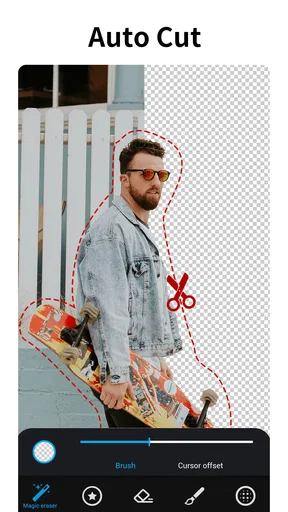
Now, let’s talk about what really matters – the features. One of the most impressive aspects of AI Photo Editor Pic BG Eraser is its ability to remove backgrounds with precision. The AI does a decent job of distinguishing between the subject and the background, making the whole process almost effortless. I tested it on a few complex images, and while it wasn’t perfect every single time, it was surprisingly accurate.
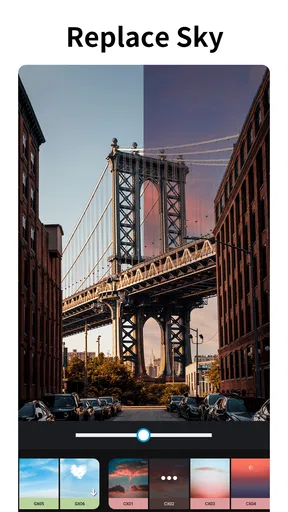
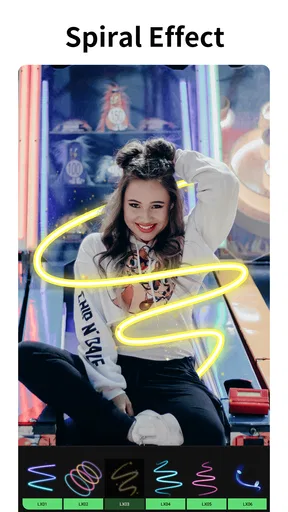
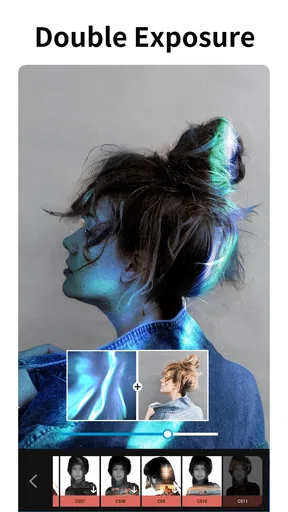
The app also offers a variety of filters and effects to give your photos a unique touch. From vintage vibes to vibrant pop art styles, there’s something for everyone. Plus, the editing tools like crop, rotate, and adjust brightness are pretty standard but essential for any photo editor.
Editing Experience
Editing a photo is straightforward. You simply choose an image from your gallery, and the app takes you to the editing suite where you can start playing around. The AI-powered tools take a bit of processing time, especially for high-resolution images, but the results are worth the wait. The app also supports multiple layers, which is a nice touch for those who want to get a bit more creative.
Sharing and Saving
Once you’re done transforming your masterpiece, sharing it is a breeze. The app integrates seamlessly with social media platforms like Instagram and Facebook, allowing you to upload your edited photos directly. Alternatively, you can save the images to your device in high resolution, which is perfect if you want to print them out later.
Room for Improvement
While AI Photo Editor Pic BG Eraser is packed with features, there are a few areas where it could improve. The AI, though quite impressive, sometimes struggles with intricate details like hair strands or transparent elements. Also, the app occasionally lags with large images, which can be a bit frustrating if you’re in a hurry.
Worth Reading Before You Choose

EA SPORTS FC Mobile 26 Is a Bigger Football Game, but It Takes Time

Flipboard Shows What News Apps Must Do Beyond the Feed

Switching to Android Auto Means Rethinking Your Driving Routine

Google Calendar Makes a Crowded Week Easier to Manage

Ludo King Makes the Most of the Minutes Between Plans

Baby Panda World Brings Quick Play to Modern Phones, but Its Game Library Feels Busy
Another point to consider is the ads. The free version of the app is ad-supported, which can be a tad disruptive. However, there’s a premium version that removes ads and unlocks additional features, which might be worth considering if you’re planning to use the app extensively.
Final Thoughts
All in all, AI Photo Editor Pic BG Eraser is a solid choice for anyone looking to enhance their photos with minimal effort. Its AI-driven tools offer a modern touch to the traditional photo editing experience, and while it’s not flawless, it does a commendable job for a mobile app. If you’re keen on boosting your social media visuals or just love playing around with images, give this app a try. You might find it’s exactly what you’ve been looking for.
Pros
- User-friendly interface for quick edits.
- Wide range of filters and effects.
- Efficient background removal tool.
- Supports high-resolution image saving.
- Regular updates with new features.
Cons
- Limited free version capabilities.
- Occasional performance lags.
- In-app ads can be intrusive.
- Requires internet for some features.
- Subscription model might be pricey.
FAQs for AI Photo Editor Pic BG Eraser
What features does AI Photo Editor Pic BG Eraser offer?
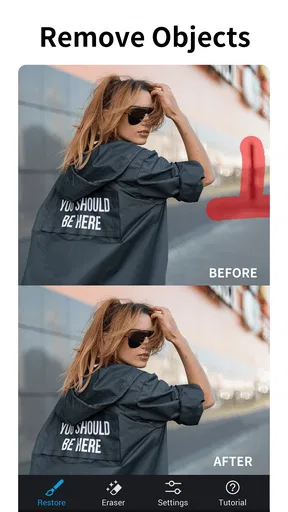
AI Photo Editor Pic BG Eraser provides a range of features including background removal, image enhancement, filters, and overlays. The app uses advanced AI technology to automatically detect and erase backgrounds, making it easy to create professional-looking images. Users can also take advantage of editing tools like cropping, resizing, and color correction.
Is AI Photo Editor Pic BG Eraser user-friendly for beginners?
Yes, AI Photo Editor Pic BG Eraser is designed with a user-friendly interface that caters to both beginners and experienced users. The app offers step-by-step guides and tutorials to help new users understand its functionality. Its intuitive design ensures that even those with minimal editing experience can produce high-quality results.
Are there any subscription fees or in-app purchases in AI Photo Editor Pic BG Eraser?
AI Photo Editor Pic BG Eraser offers both free and premium versions. While the basic features are available for free, there are in-app purchases and subscription options for advanced tools and features. These premium options include additional filters, higher resolution exports, and ad-free usage, providing more flexibility for serious editors.
How does AI Photo Editor Pic BG Eraser handle privacy and data security?
The app is committed to user privacy and data security. It does not store any photos on its servers without user consent. All processing is done locally on the user’s device, ensuring that personal data and images remain secure. The app complies with international privacy standards to protect user information.
Can AI Photo Editor Pic BG Eraser be used offline?
Yes, AI Photo Editor Pic BG Eraser can be used offline for most of its features. While an internet connection is needed for downloading the app and accessing updates, the core functionalities such as background removal and basic editing tools are available without an internet connection. This makes it convenient for users who need to edit photos on the go.


